Amazon Music: How to Activate on TV
Note: Stay safe — use only the official channel website and activation website.
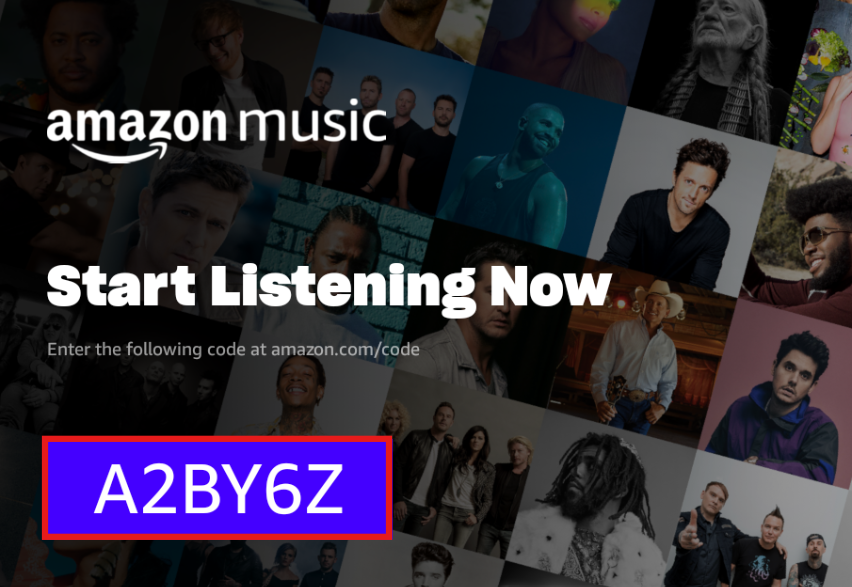
- Open Amazon Music App and 6-digit activation code will appear on your TV screen.

- Open a web browser on your phone, tablet, or computer and go to Amazon.com/code.
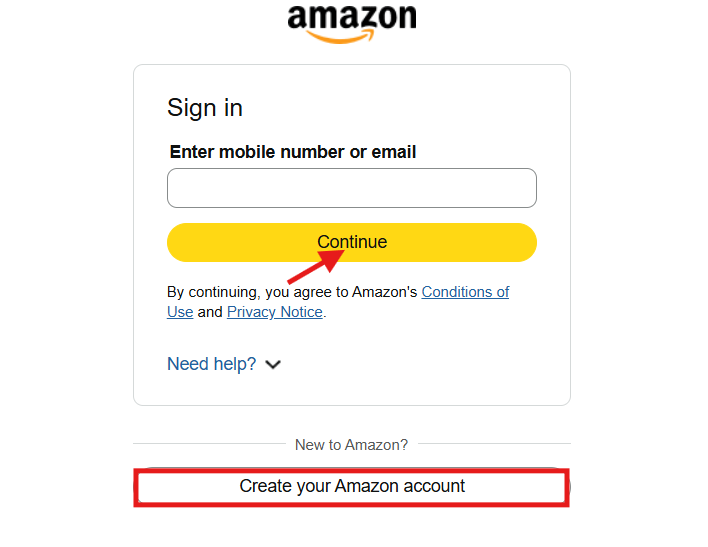
- Enter your mobile number or email, then click “Continue” to “sign in“ If you don’t have an account, click “create Your Amazon account“.
- Enter the 6-digit code displayed on your TV, then click “Continue”.
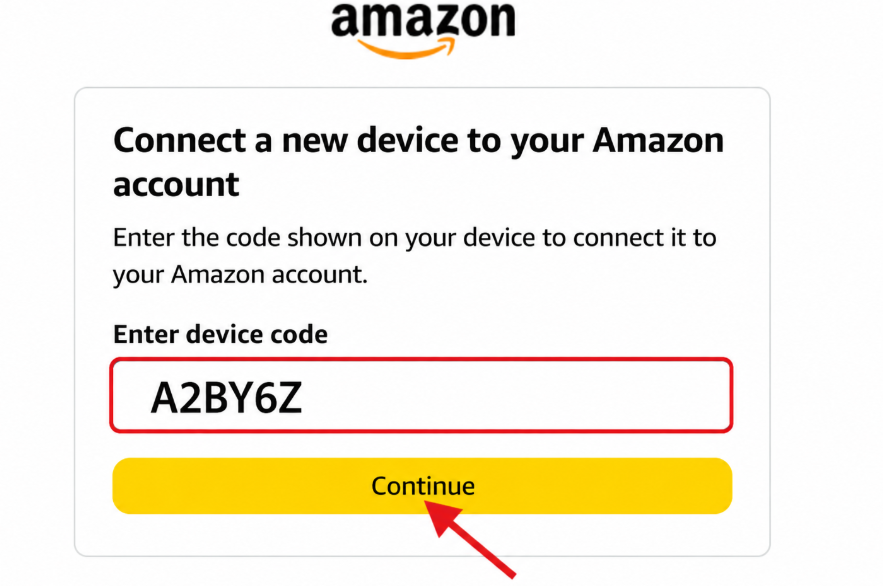
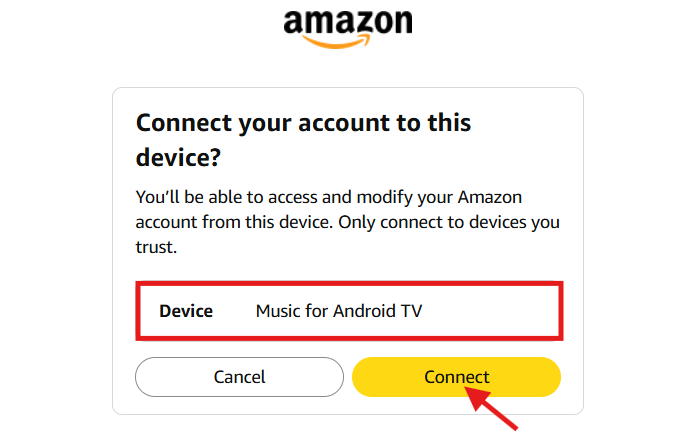
- Verify the device name and click “Connect” to link your account.
Check the address before entering your code
Use the address shown on your device. For a Fire TV code-based setup, Amazon’s official Fire TV setup instructions say to scan the on-screen QR code or visit amazon.com/code and enter the code shown on the TV. The exact flow may differ for Amazon Music on other devices. Only enter your Amazon sign-in details on an Amazon-owned page.
If the code is rejected
Check the characters against the TV screen, request a fresh code if the app offers that option, and keep the device connected to the internet. If the page does not match the instructions on your screen, return to the device and use its current QR code or address. StepsWoo is an independent guide and cannot enter the code or sign in for you.